Looting
Quick Looting
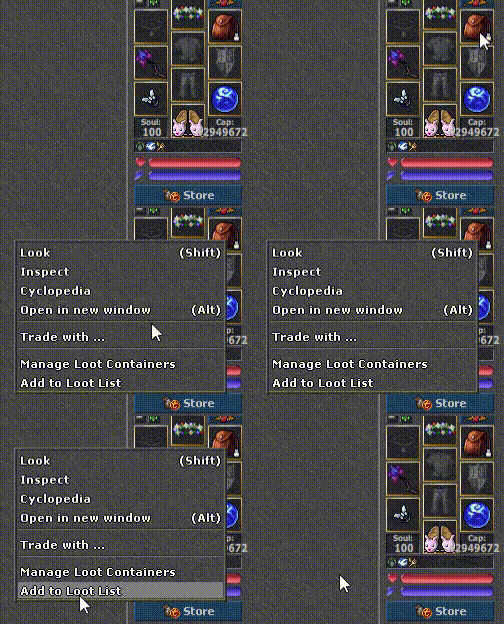
Quick looting is the ability to collect loot from monsters faster and more effectively. To organize the loot, the player can manage his containers/backpacks by assigning them to categories - the same as in the market and in the Cyclopedia.
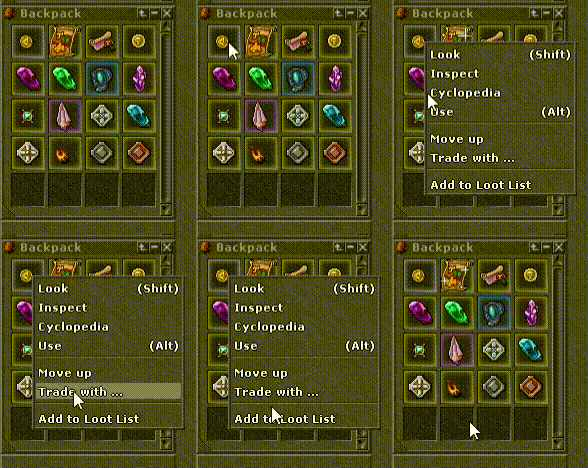
A given container may have even several categories assigned to it. By hovering over the icon that will appear after assignment, we will see from which categories the items are placed there.
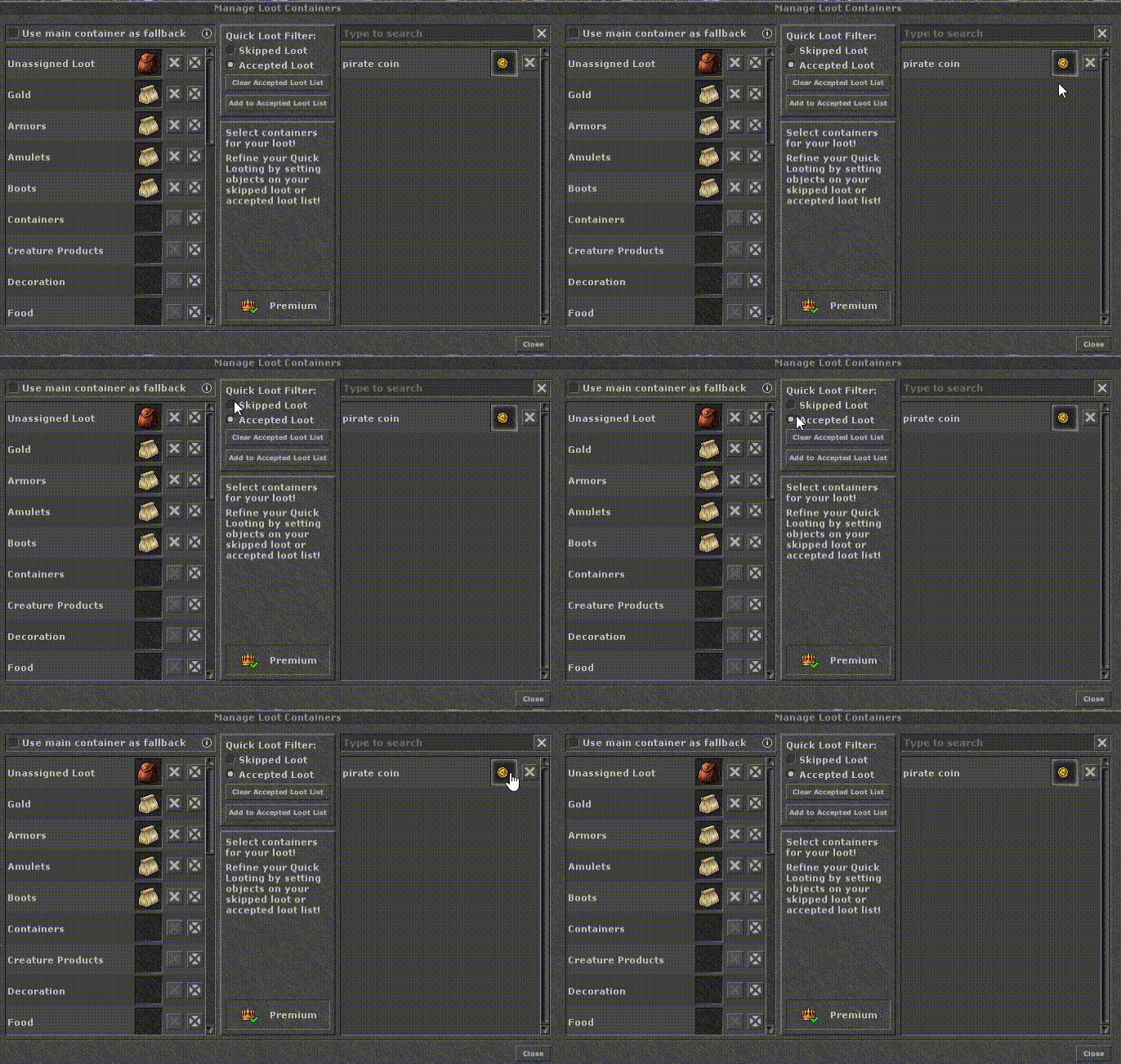
W oknie Manage Loot Containers you assign containers to specific categories - Gold, Armors, Amulets, Boots and more. Section Quick Loot Filter switches the mode between Skipped Loot a Accepted Loot, and the search box on the right allows you to add specific items to your list of accepted loot. Checking "Use main container as fallback" causes unassigned loot to go to the main backpack.
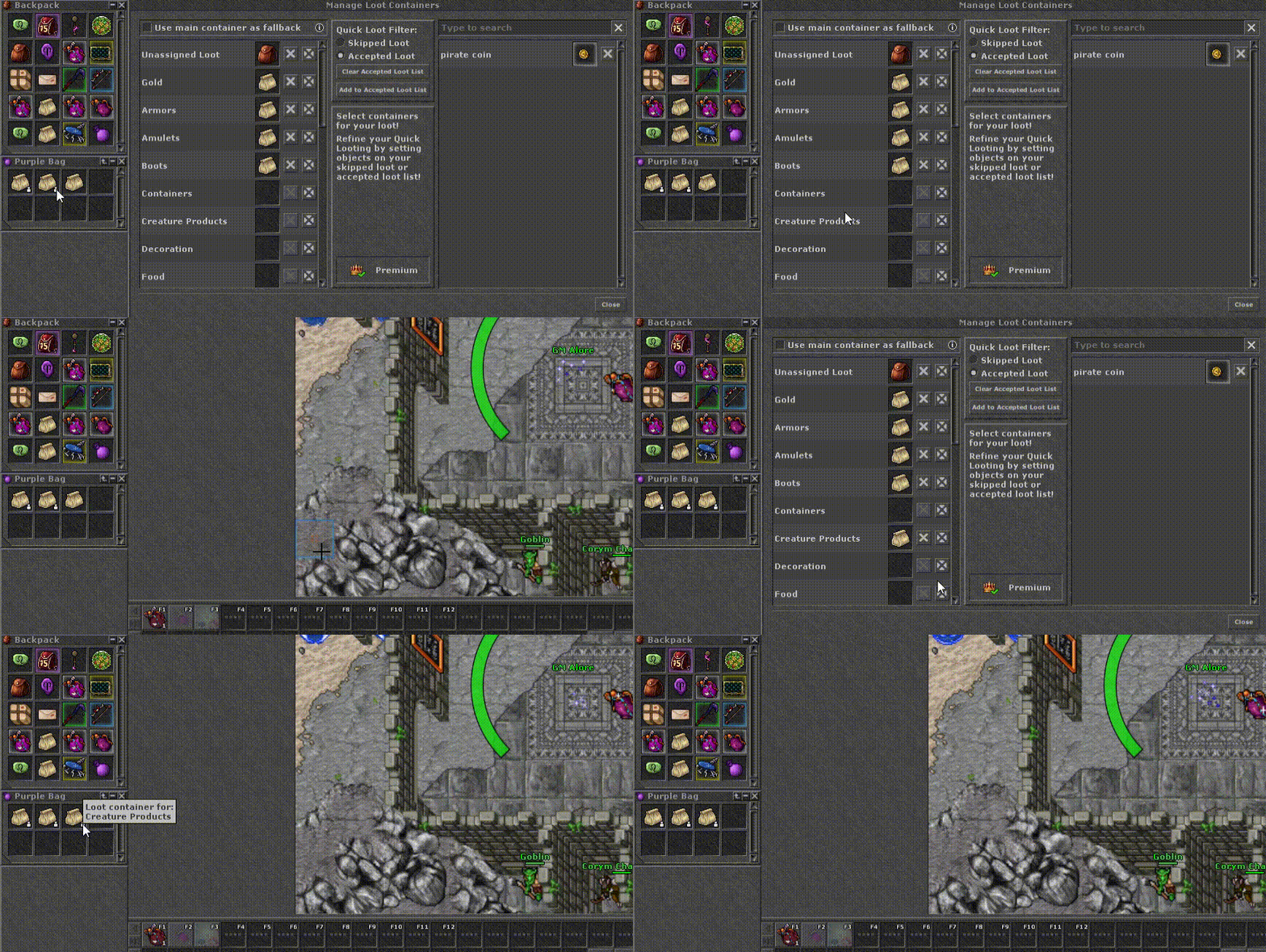
Ustawienia Quick Looting
The available options are Classic Controls and the button that collects loot:
- Loot: Right (right mouse button) - does not open the body, only collects loot with one click.
- Loot: Left (left mouse button) - right button opens the body, left button collects loot.
- Loot: Shift+Right — less practical option; it doesn't open the body, it just collects loot with one click.
Auto Loot System
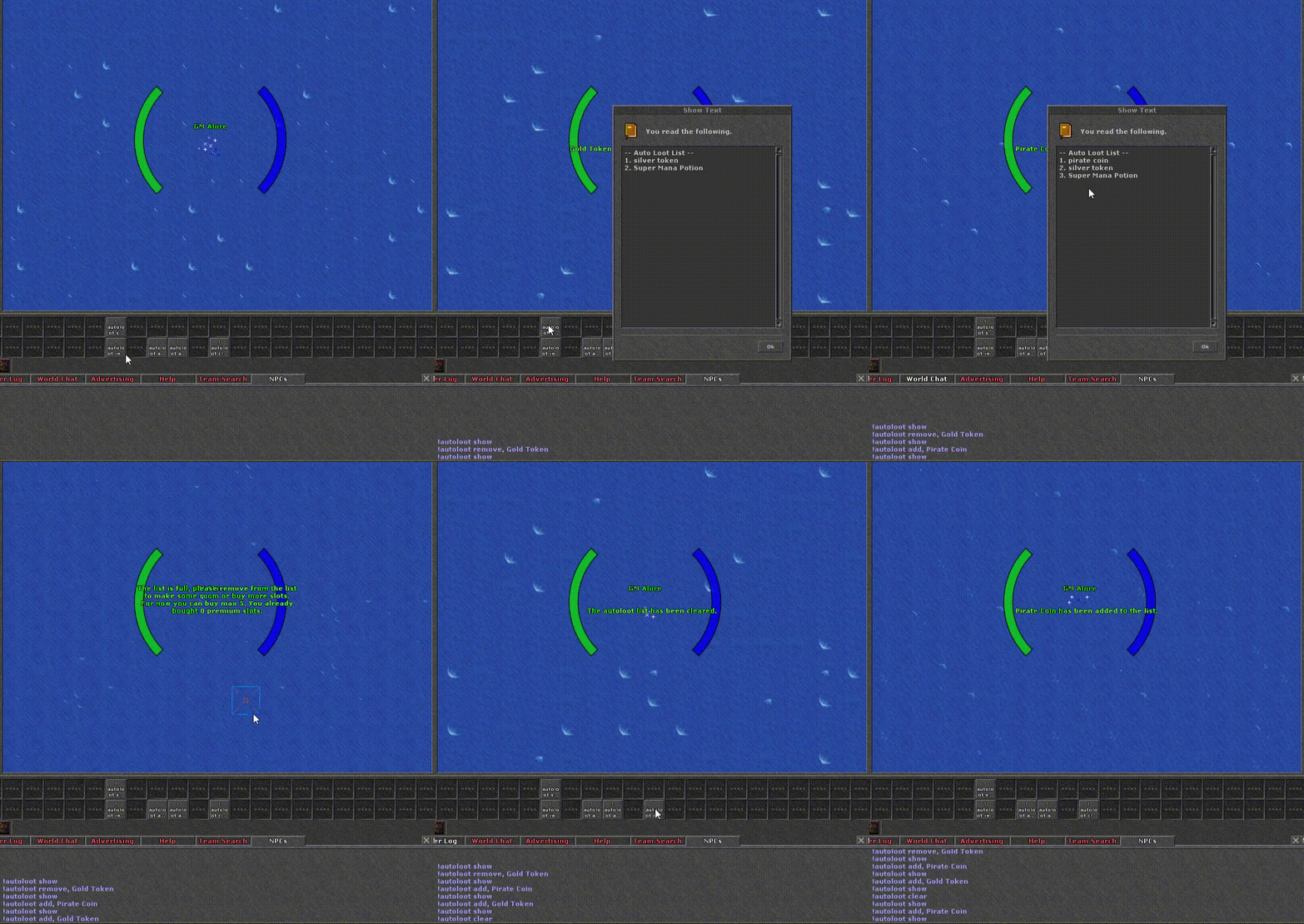
The gif below shows how the commands work. The character in the example has three basic slots: command show checks the list (Silver Token, Super Mana Potion, Gold Token), by remove usuwa Gold Token, a przez add adds Pirate Coin. When you try to add another item, the list turns out to be full; at the end clear cleans everything. The added loot after falling from the monster automatically goes to the main backpack.
Komendy
| Komenda | Action |
|---|---|
| !autoloot add, [item name] | Adds an item entered after a comma to the list. |
| !autoloot remove, [item name] | Removes an item entered after a comma from the list. |
| !autoloot show | Shows a list of items. |
| !autoloot clear | Removes all added items. |
Sloty
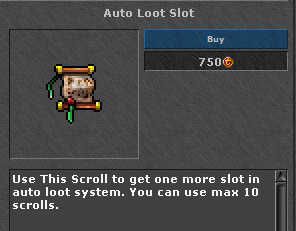
Every player has it by default 3 darmowe sloty. The next five can be unlocked by purchasing the "Auto Loot Slot" in the Store for 1,000 TC each - and once you've unlocked the available slots, you can still purchase more.